Remove Background from Image
Remove the background from any image in seconds with AI. Get a clean, transparent PNG — no watermark, no subscription.
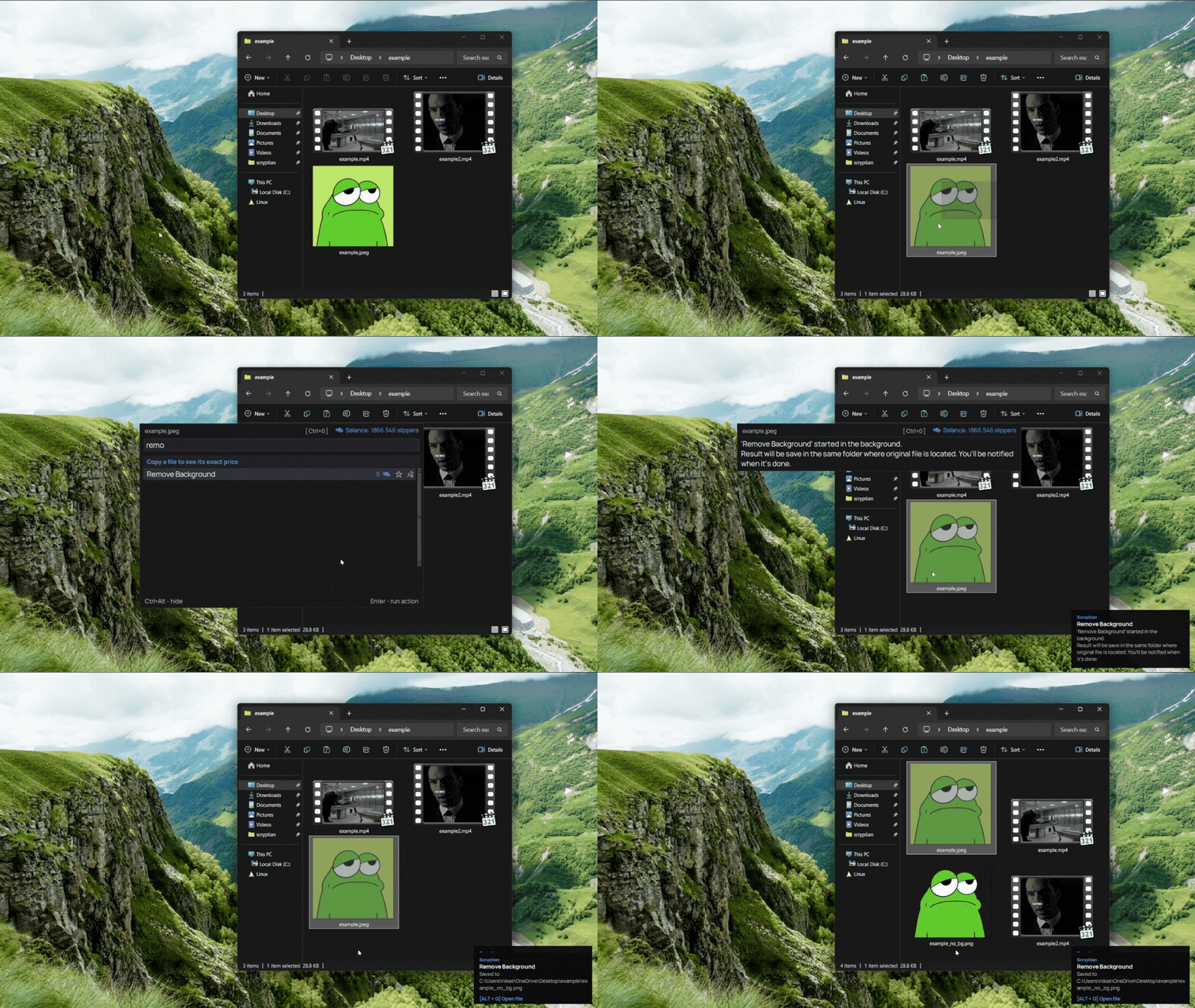
What this action does
- One-click AI background removal
- Clean transparent PNG output
- Handles hair, fur, and fine edges
- Full-quality result, no watermark
- Pay per result — no subscription
Remove the background from any image in one click. Scryptian's AI background remover cuts out the subject cleanly — even around hair, fur, and fine edges — and gives you a transparent PNG ready for product photos, avatars, and design. No account or subscription, full quality, no watermark — you pay only for the result.
How it works
- 1
Download
Free app for Windows.
- 2
Copy a file
Select any file
- 3
Press Ctrl+Alt
The bar opens over your file.
- 4
Pick this action
Done. Pay only for the result.
- 5
Result file
Result files appears in the same place where original.